Image review for creative teams

Feedback that lands exactly where it matters.

Ossavi is where studios and their clients review images. Pin notes to the pixel, compare every revision, check colors against the brief and get sign-off, all in one private studio. And your data is never used to train AI.

Ossavi reviewing a product shot: two numbered comment pins, a circled area, and a color check showing ΔE 0.6, a match against the folder's master color.

What you get

Built for the details clients actually care about.

Point at it. Literally.

Drop a pin, circle it, draw an arrow. Every note is anchored to the spot it's about, numbered on the image and threaded in the sidebar. Attach reference images, reply, resolve.

  • Pins, pen, arrows, boxes and ellipses in six colors
  • Internal notes for your team, a separate thread for the client
  • Paste a client's screenshot of notes straight in as feedback
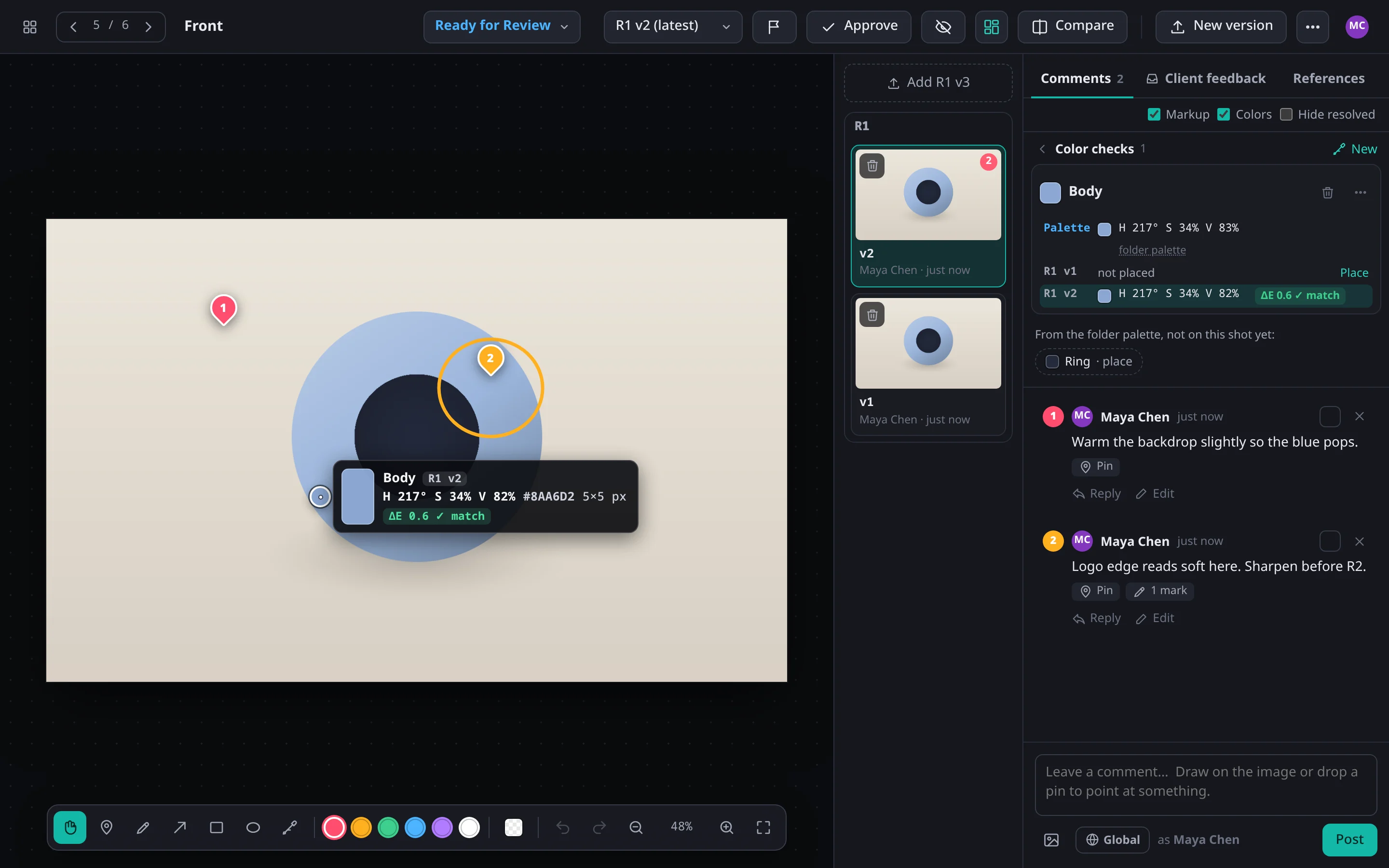
Comment thread beside an image with numbered pins and markup.

Every revision, in order.

Each image keeps its whole history: R1, R2, R3 v2. Approve a version and the next upload starts a new round. Swipe between any two versions to see exactly what changed.

  • Working, Ready for Review, Needs changes and Approved at a glance
  • Folders with a tree, multi-select, drag and drop, undo
  • Choose which versions a client sees
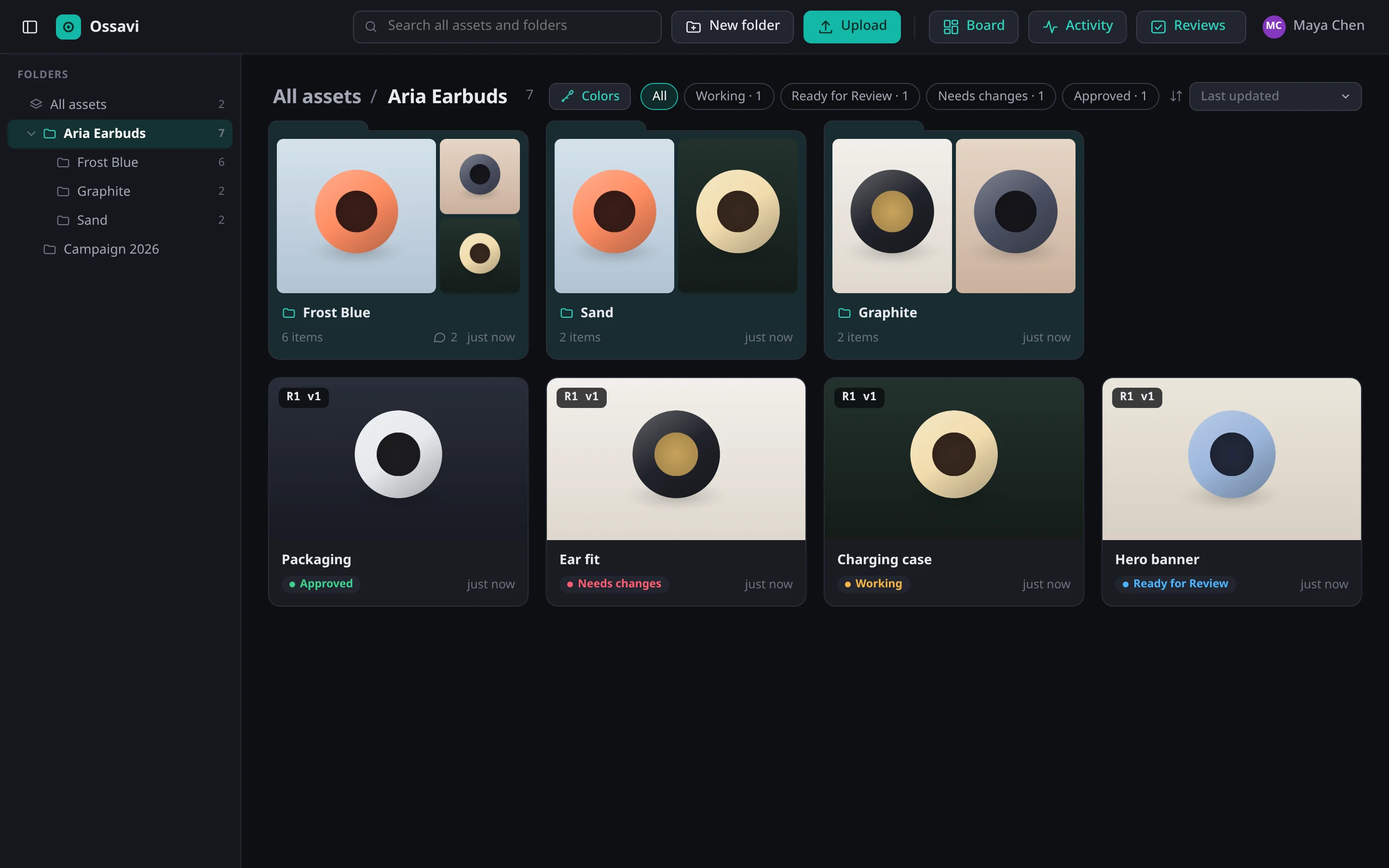
Library of product shots in a folder tree: folder cards with previews of what is inside, and a review status on each image: Approved, Needs changes, Working, Ready for Review.

Color, measured, not argued.

Sample any spot and get its HSV and hex, then compare it with the client's reference. Ossavi scores the difference in ΔE2000, the industry measure of how different two colors look, so “is that the right blue?” has an answer.

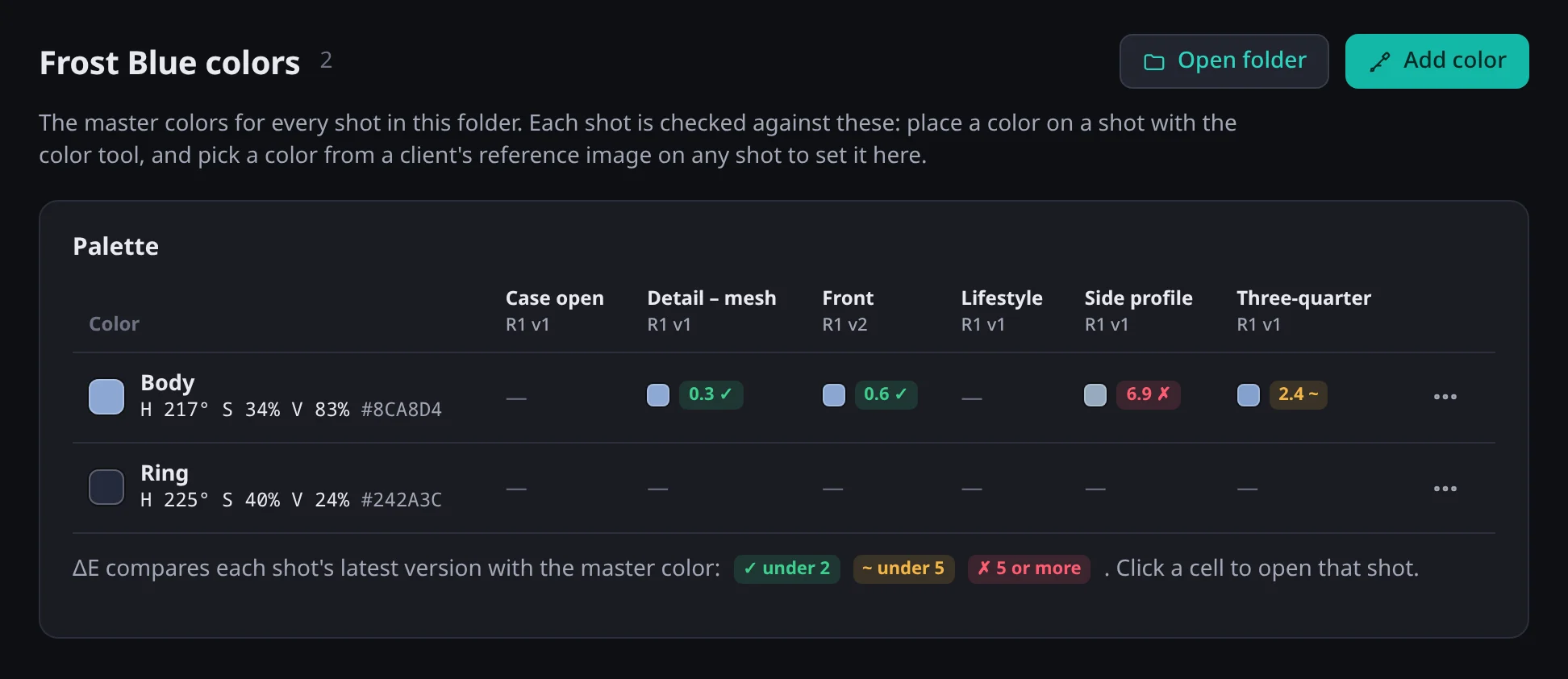
  • A master palette per folder: Body, Ring, Logo…
  • Every shot scored against it: ✓ under 2 ~ under 5 ✗ 5 or more
  • Pick target colors straight from a client's reference image
Folder palette: master colors Body and Ring, with each shot's color difference scored.

See the whole set at once.

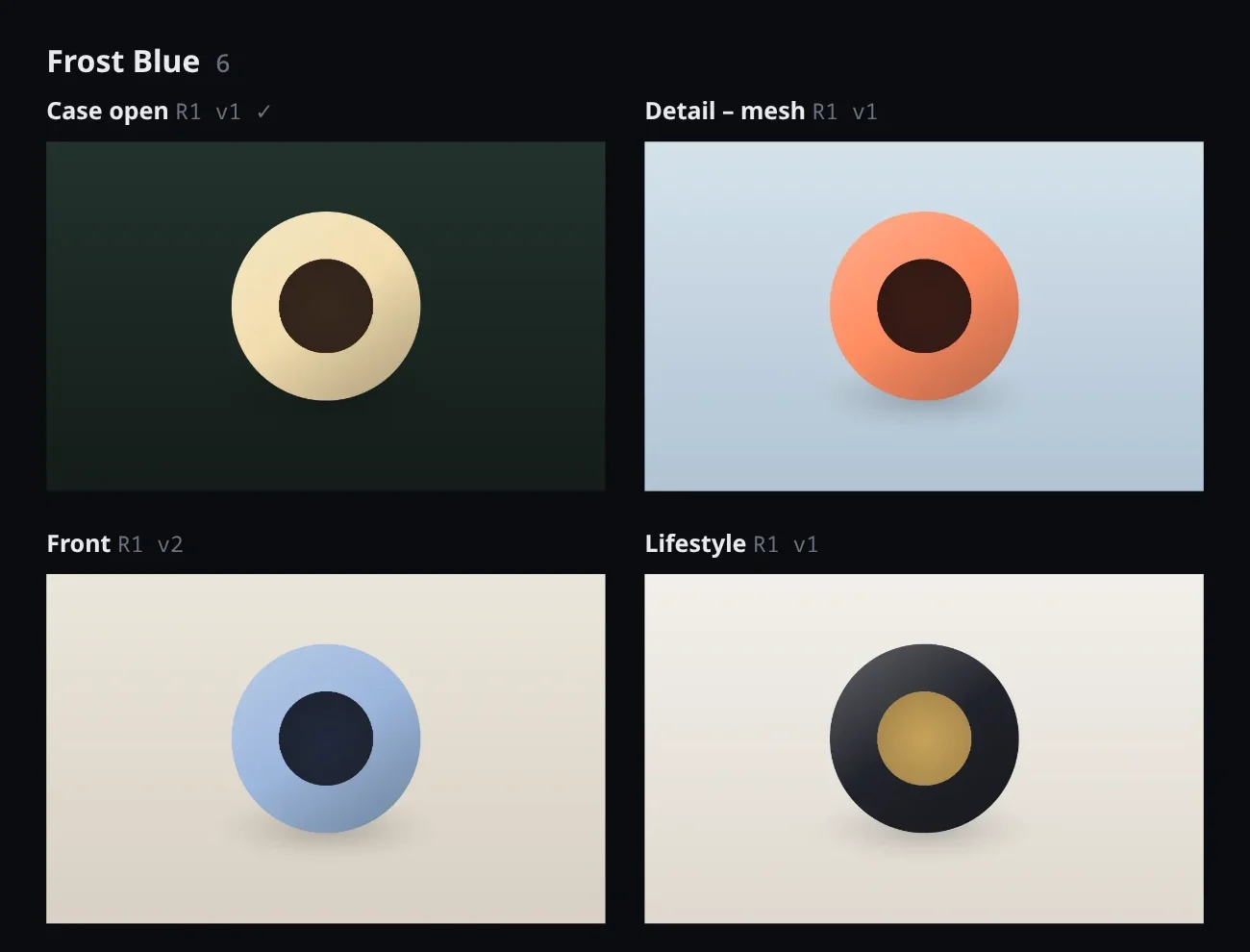
Boards lay out the latest version of every shot on one zoomable canvas, so you can check a campaign for consistency the way it will actually be seen.

  • Every revision of one image, or every image in a folder
  • Dark, grey, white or checkerboard backgrounds
  • Images load at the size they're shown, so big sets stay quick
A board showing product shots side by side with their revision labels.

And everything around the review.

Share links

Send a folder or image to anyone with a password and an expiry. Previews only, unless you allow downloads.

Reviews

Send work to teammates or to anyone by email. Outside reviewers get their own password link, no account needed. Each person approves or sends changes, image by image, and the image's status follows.

Activity log

Every upload, approval, comment and change, with who did it and when.

Live updates

New comments and versions appear for everyone looking, straight away.

Bulk uploads

Drop a whole shoot and watch every file tick off, in order.

No AI training

Your data is never used to train AI, never sold and never used for ads.

How it works

One review round, start to sign-off.

  1. 1

    Upload

    Drop the shoot into a folder. Each image becomes an asset, ready for revision one.

  2. 2

    Review

    Your team and your client pin notes, check colors against the brief and discuss in place.

  3. 3

    Approve

    Approve the version that's right. The next upload starts a new round, and the history stays.

Privacy and security

Your studio is yours alone.

Every company gets its own studio, with its own people, files and history, stored separately from everyone else's. Unreleased work stays unreleased.

  • Your data never trains AI. It's never used to train AI models, never sold and never used for ads. It's only there to run your studio.
  • Separate by design. Each studio has its own database schema and file storage; one studio can't reach another's.
  • Two-factor sign-in. Required for admins, available to everyone, and compatible with your password manager.
  • You're in control. One owner per studio, roles for everyone else, a security log, and accounts you can disable or delete.

Pricing

One price per studio. Your clients review free.

Every plan has every feature. You pay for your team and your storage. Send reviews to as many clients as you like, by link, with no accounts to buy for them.

Studio

For a small team getting started.

$49/ month

or $490 a year, 2 months free

  • 5 people
  • 100 GB of storage
  • Unlimited client reviewers
  • 14-day free trial
Request access

Agency

For larger teams and big campaign shoots.

$299/ month

or $2,990 a year, 2 months free

  • 40 people
  • 3 TB of storage
  • Unlimited client reviewers
  • 14-day free trial
Request access

Enterprise

For brands and agencies with more to review.

Custom

priced for your team

  • As many people as you need
  • Storage to match
  • Unlimited client reviewers
  • Billing by invoice
Talk to us

Prices in US dollars, plus sales tax where it applies. People are your team’s accounts; clients you send reviews to don’t count, and neither do disabled accounts. Storage counts everything uploaded: originals, previews and comment images.

Bring your next review round to Ossavi.

Ossavi is opening to studios one at a time. Tell us about your team and we'll set yours up, usually within a couple of days.

  • Your own private studio, set up for you
  • Invite your team and send reviews to clients yourself
  • We only use these details to reply to you (privacy policy)